
On-premises AI: from setup to everyday work
A Microsoft outage prompted me to try something I had been interested in for a while: running AI on our own hardware. I’ll be sharing the process, from setting it up with an existing server and a GPU to testing it on real work.
During a recent Microsoft outage, I was unable to use Copilot. I mainly use ChatGPT, so the impact on my work was relatively small. Still, it made me think about what I would do if an AI service I relied on became unavailable.
I had been interested in on-premises AI for some time. This gave me the push I needed to finally set it up in my own environment.
Alongside the practical questions, there is technical curiosity. I want to run AI on hardware I have at hand, try different models and settings, and see what it can do. That prospect is exciting.
I already use AI extensively for organizing documents, writing, and building and operating systems. I want to find out how much of that work a locally hosted AI can handle by actually using it.
I’ll also be testing whether it can help work through confidential documents within our own environment, with sources that can be checked. The aim is to retain access to locally stored documents and procedures even when cloud services are unavailable.
Starting with a GPU in the development machine
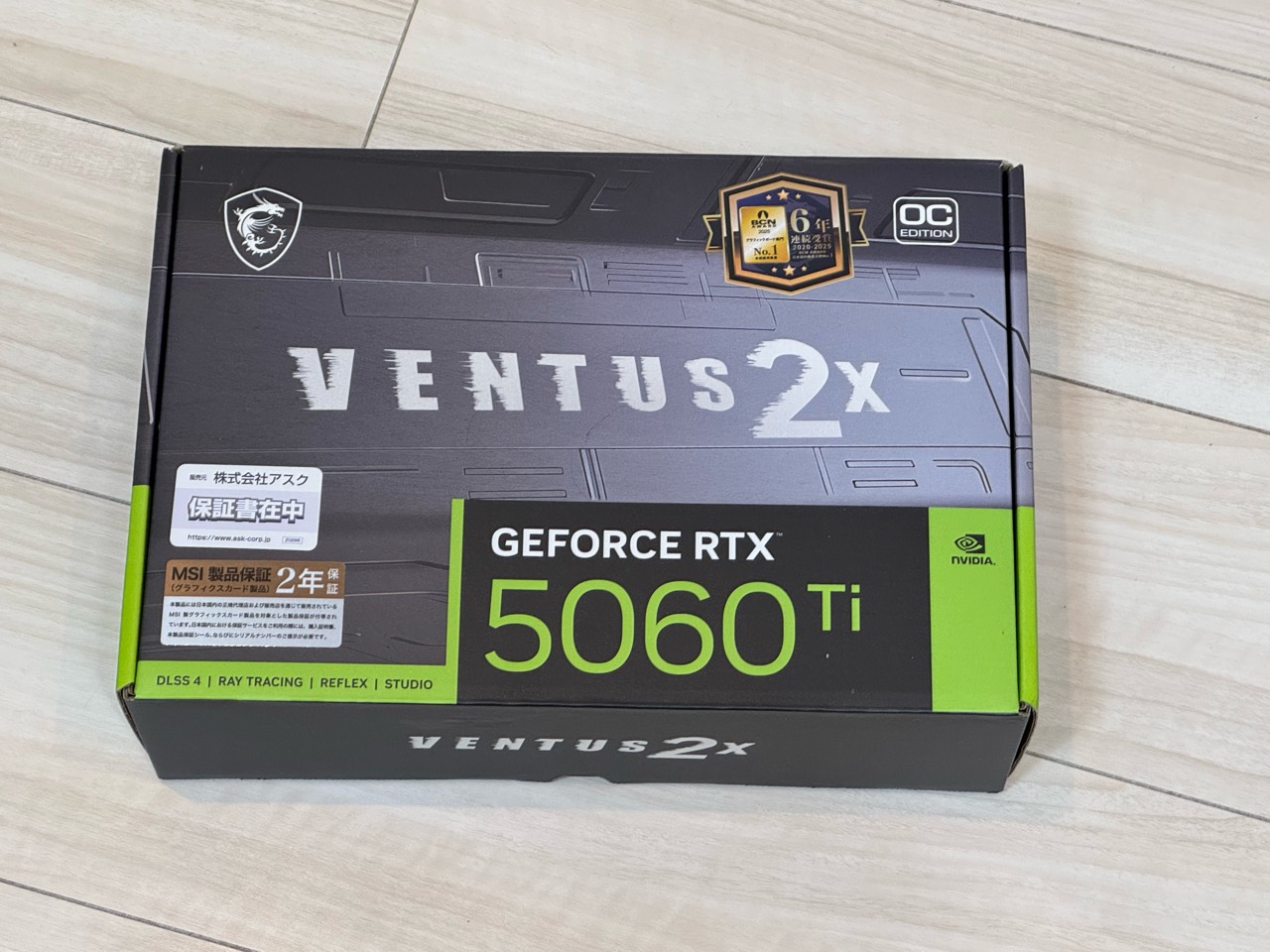
The GPU I bought is an MSI GeForce RTX 5060 Ti with 16 GB of memory. It cost ¥158,800 including tax on Amazon in Japan. Compared with what graphics cards used to cost, that feels like quite an outlay.
First, I’ll install it in our existing Proxmox development machine and test it. I’ll run publicly available pretrained models and see how model choice and settings affect answer quality and waiting time.
If the results show that it is useful for real work, I’m considering building a more substantial, dedicated AI machine.
I’ll start small, with a setup I can operate myself. I plan to cover installing the GPU, assigning it to a virtual machine, setting up models, and preparing a user interface.
Managing costs and data handling in-house
One potential benefit is being able to choose a configuration without usage-based fees for external AI APIs. That makes it easier to reread documents and experiment with different settings. Model and software terms still need to be checked, and I will be responsible for the hardware, electricity, and maintenance costs.
We can also design which documents are processed, where they are stored, and how long they are retained, in line with internal rules and access permissions. The amount of material that can be processed, and the length of text that can be handled at once, will still depend on the hardware and model.
Another attraction is the ability to keep document processing, retrieval, and answer generation in-house, without sending business data outside. The tests will check the related processing and network traffic as well.
Testing complex work for a single user
There is one main user in our company. The initial evaluation will therefore focus on how far one person can get with complex tasks.
For example: finding and comparing the latest versions, amounts, and exceptions across several documents; preserving agreed conditions through multiple revisions; and producing a finished document whose tables and explanations agree. I’ll evaluate that whole sequence of work.
Alongside simple questions, I’ll record what happens as conversations grow longer or more documents are added, and how many corrections are needed to finish a task.
Finding internal documents and showing the sources
The intended uses include finding procedures and past documents, summarizing and comparing them, and drafting text. I also plan to combine document retrieval with answer generation, so that the AI can consult the relevant material before responding.
Being able to check the source document and the relevant passage is important. I’ll test whether the system invents information missing from the documents or mixes in an outdated version or another project’s details.
Data handling, maintenance, and recovery
Running locally means checking more than the source documents. I’ll also check where retrieval data, conversation history, logs, temporary files, and backups are stored and sent.
With outbound network access blocked, I plan to test starting a new conversation, searching documents, generating answers, and using the system again after a restart. I’ll also check whether authentication or document-reading components depend on external services.
Updates, backups, and recovery from failures will be part of making this a system that can be used over time.
Sharing the setup and what I learn from using it
Future articles will cover the hardware and software configuration, setup problems, answer quality, processing times, and adjustments needed for real work. I’ll record things that do not work as expected and limitations that remain for particular tasks.
Public examples will use fictional documents or material suitable for publication. Customer documents, personal information, and internal connection details will not be published.
The project is currently at the preparation stage. Testing on the actual hardware will begin after the GPU is installed. By covering both setup and use, I hope to show which tasks it helps with and where further work is needed.
Related article (Japanese): 実務で使うAIの基本指示と活用例